> For the complete documentation index, see [llms.txt](https://docs.ceruleansonar.com/c/llms.txt). Markdown versions of documentation pages are available by appending `.md` to page URLs; this page is available as [Markdown](https://docs.ceruleansonar.com/c/sonarview/session-configurations/omniscan-3d-+-nmea-heading-position.md).
# Omniscan 3D + NMEA Heading/Position
Go to 'Session Configurations' in SonarView:
Click 'Add Device' and add your Omniscan 3D to the devices list with the correct Protocol and IP address:
{% hint style="info" %}
The Omniscan 3D has an internal IMU, so Mounting Angle just affects how the boat looks in SonarView
{% endhint %}
* Mounting Angle: Angle that the Omniscan 3D is mounted relative to the attitude source
* Mounting Offset: Position offset relative to the position source
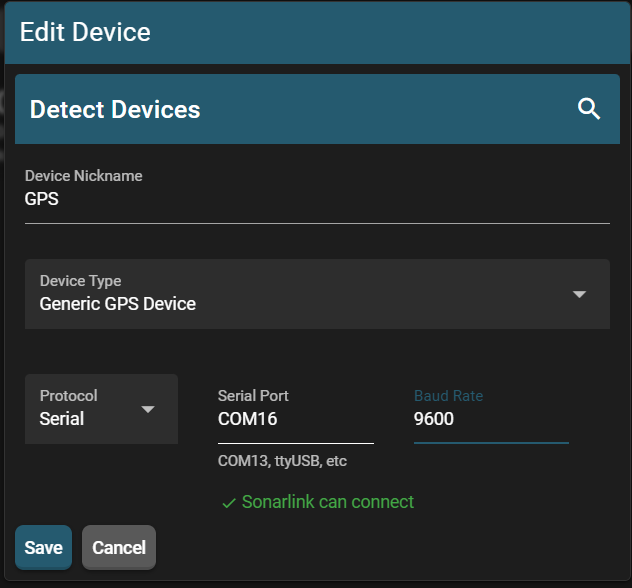
Next, add your NMEA source as a Generic GPS Device with the URL:
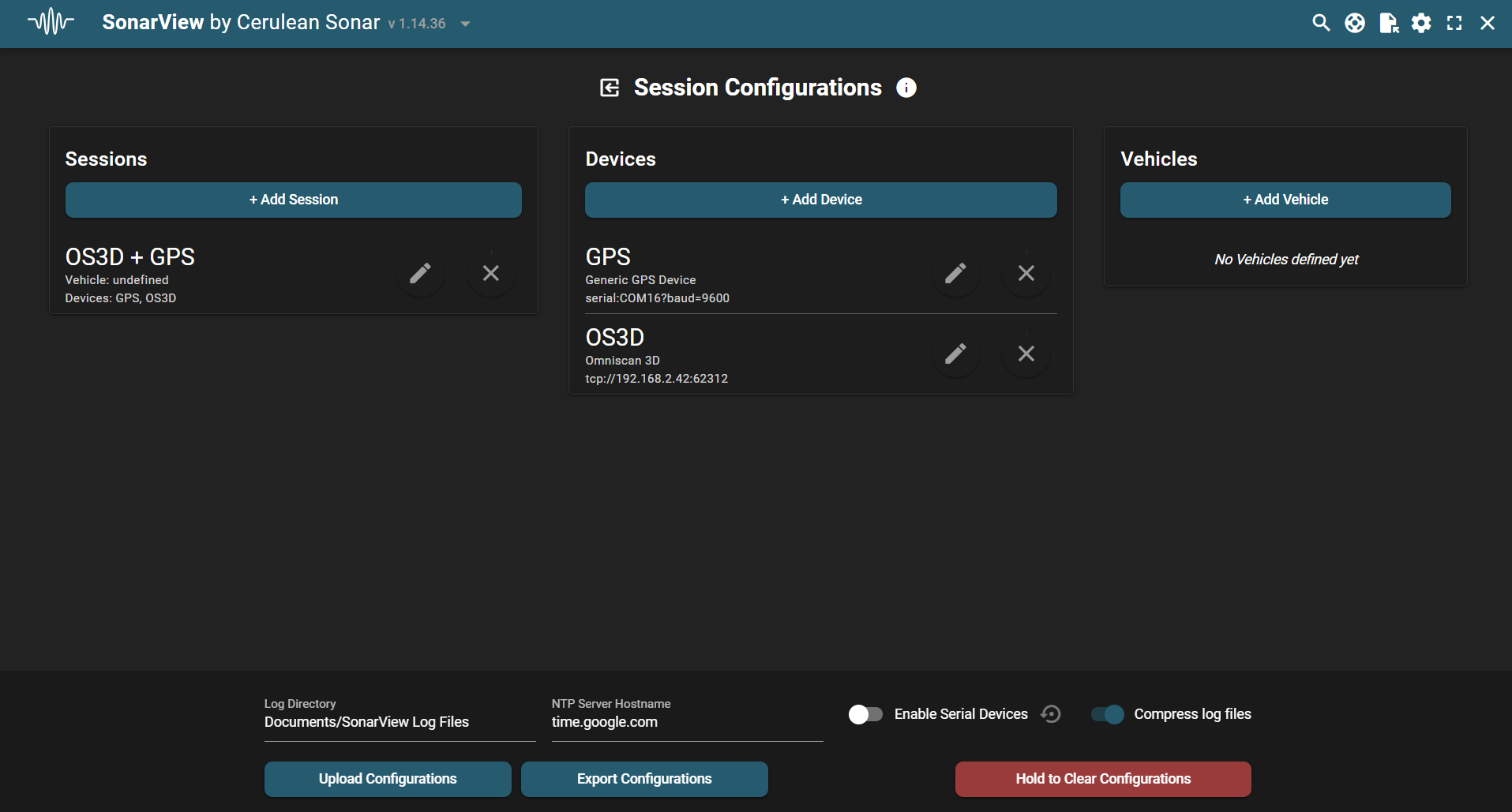
Finally, add them both to a session. Your Session Configurations page should look something like this:
Once both the GPS and the Omniscan 3D are connected, your session will appear in Discovery, allowing you to connect.