> For the complete documentation index, see [llms.txt](https://docs.ceruleansonar.com/c/llms.txt). Markdown versions of documentation pages are available by appending `.md` to page URLs; this page is available as [Markdown](https://docs.ceruleansonar.com/c/ethernet-rov-locator/system-variants/mk-v/connectivity-requirements-for-network-synchronization.md).
# Connectivity Requirements for Network Synchronization
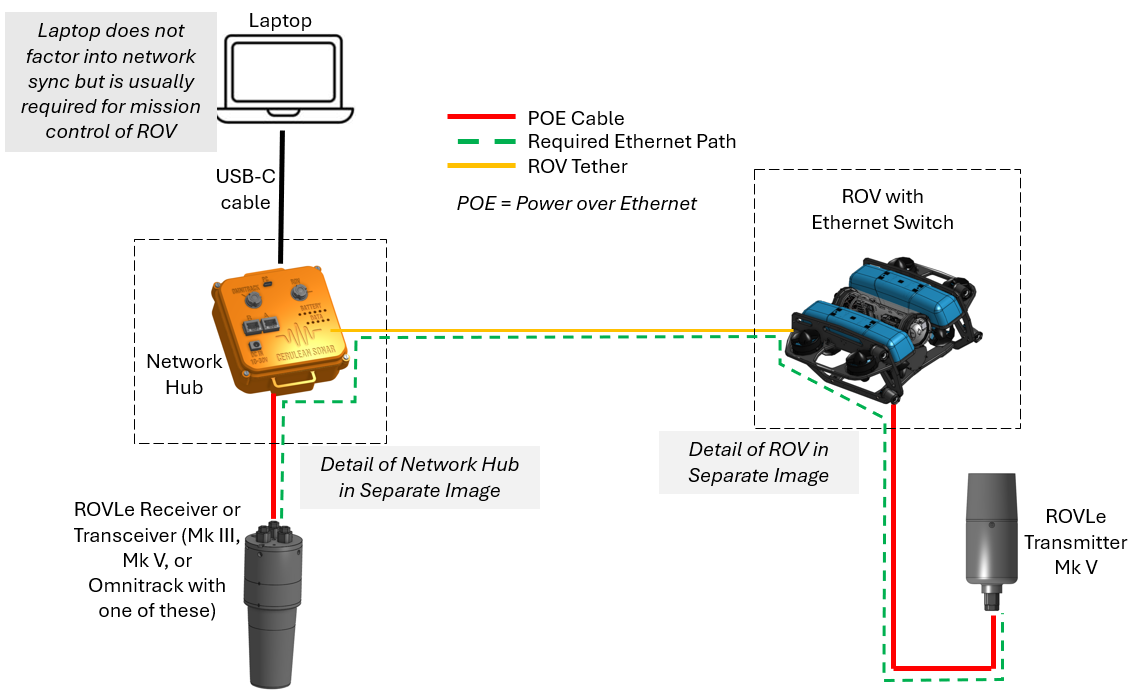
To operate the ROVLe system using network synchronization, the transmitter (the deepside unit mounted on the ROV) needs Ethernet connectivity to the receiver (the topside unit).
Two ROVLe receiver or transceiver models (Mk III, Mk V) can operate with network synchronization as long as they have the required connectivity and there is a Mk V transmitter on the ROV.
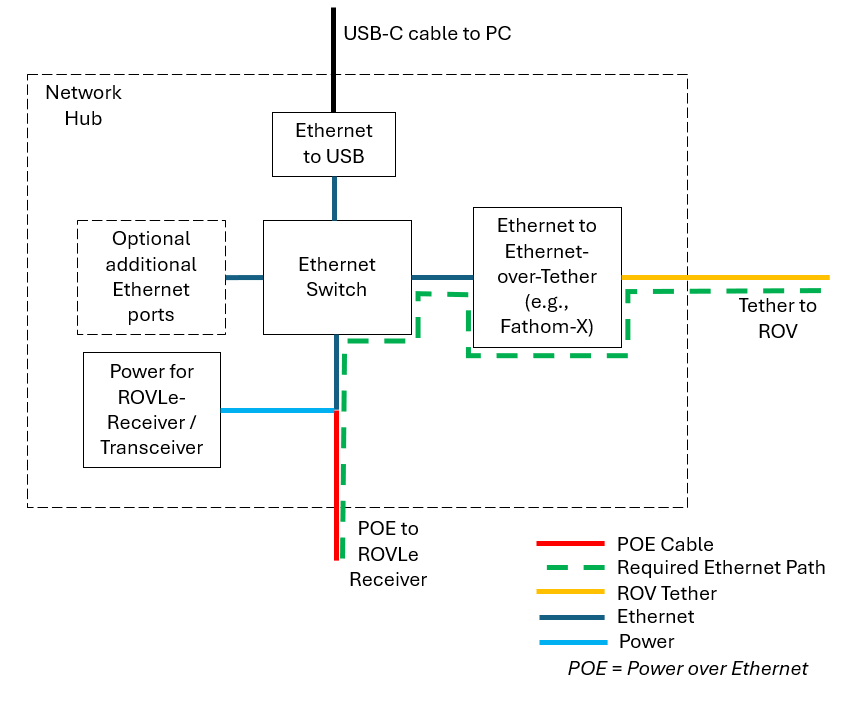
The figure below is a block diagram showing the minimum required pieces and connections. A Cerulean Network Hub is shown, and is the most convenient solution. However, there are other options that can be used to connect the topside receiver to the ROV network and inject power. A detailed block diagram of the necessary network hub functions is further down the page.
The minimum requirement of the network hub is to supply power to the ROVLe receiver and to connect the receiver to the ROV tether Ethernet network. To provide ROVLe output data to the PC and to make the ROV work, the network must also connect to the PC. The Cerulean Network Hub provides these functions and converts USB power from the PC for use by the ROVLe receiver. However, other solutions can be used for network connections and Ethernet power injection if available. Cerulean cannot provide engineering support for other solutions.
The ROV must supply power and Ethernet connectivity to the Mk V transmitter. Cerulean supplies a cable and penetrator to bring the Ethernet signals and power connections from the Mk V transmitter into the ROV electronics enclosure. The Ethernet switch and other components must be supplied by the user.